
Documentation menu
Network & connectivity
Route private IPs in, and diagnose tunnels across vendors
Two different problems wear the same name. The first is reaching your infrastructure: OrcaMonitor runs in the cloud and your devices are on a private address, so something has to bridge them. The second is diagnosing an existing tunnel when it stops passing traffic. This page covers both.
Reaching private infrastructure
Devices on RFC1918 addressing are not reachable from a cloud-hosted OrcaMonitor until a route exists. There are three ways to get one, and they are not mutually exclusive.
| Approach | Best when | What runs it |
|---|---|---|
| WireGuard mesh | You control the Linux side and want it fast and low-maintenance | Peers and LAN routes configured in OrcaMonitor |
| IPsec tunnel | Your edge is a firewall you already manage (FortiGate, ASA, SRX, Palo Alto) | Your firewall, matched to OrcaMonitor |
| Direct public reachability | The device has a public address and you accept the exposure | Your firewall allow-list |
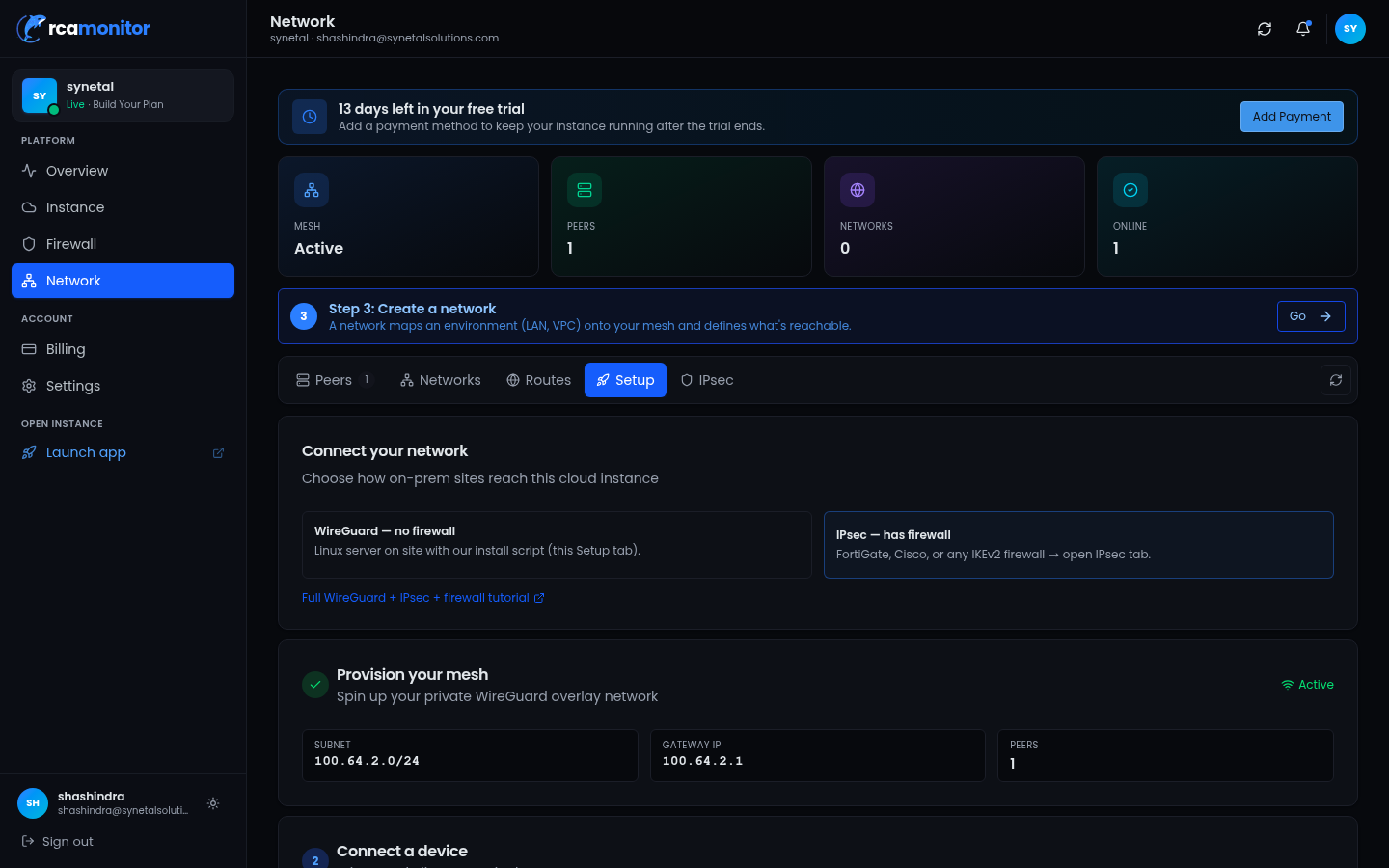
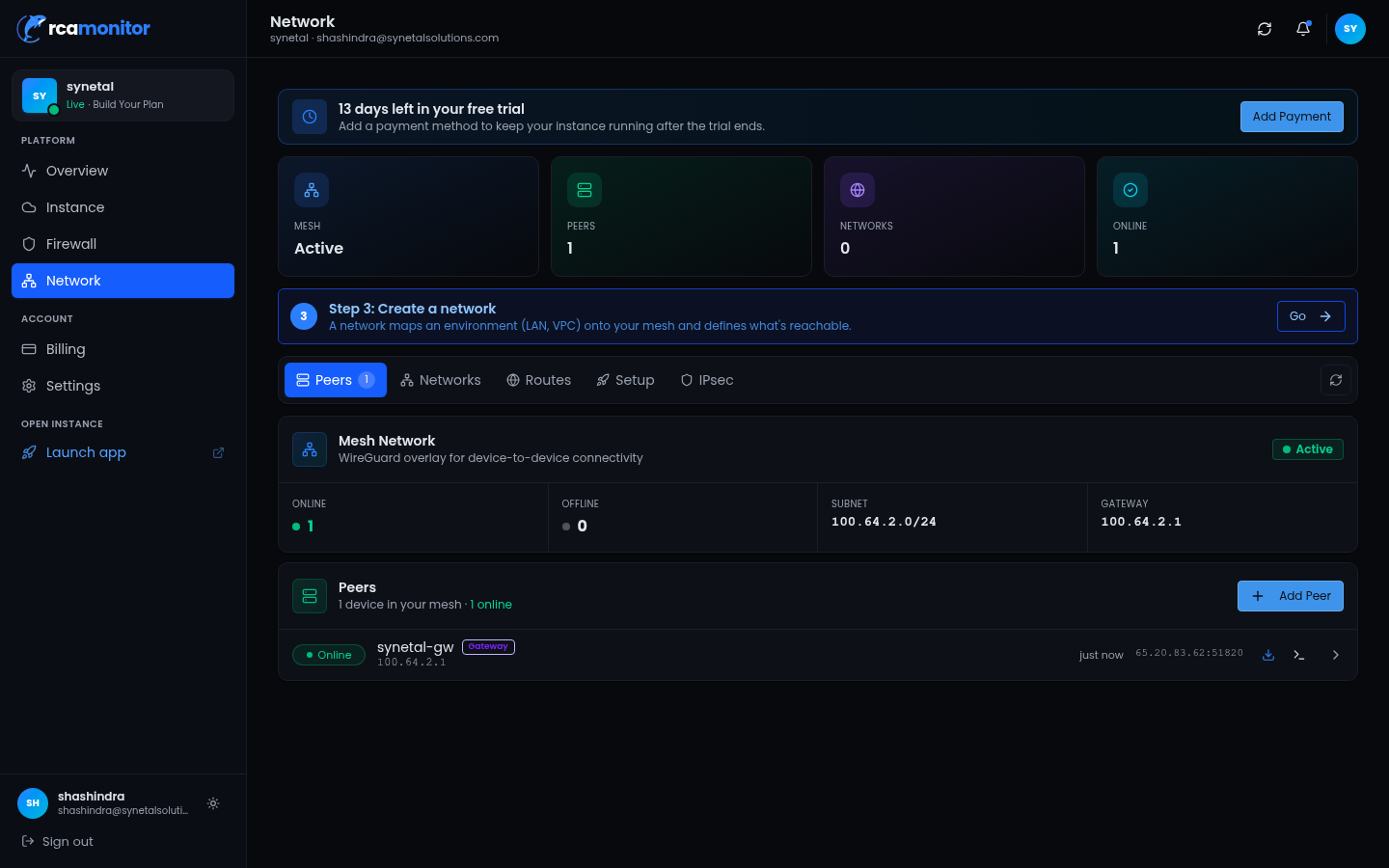
WireGuard peers and LAN routes
- 1Add a peer
OrcaMonitor generates the keypair and shows the install script. Run it on a Linux host inside the private network.
- 2Declare the LAN routes
Tell OrcaMonitor which private subnets sit behind that peer. Only declared routes are reachable — this is the allow-list, and it is deliberate.
- 3Verify from the peer
Bring the interface up and confirm a handshake. If the handshake succeeds but a device is unreachable, the route declaration is the thing to check.
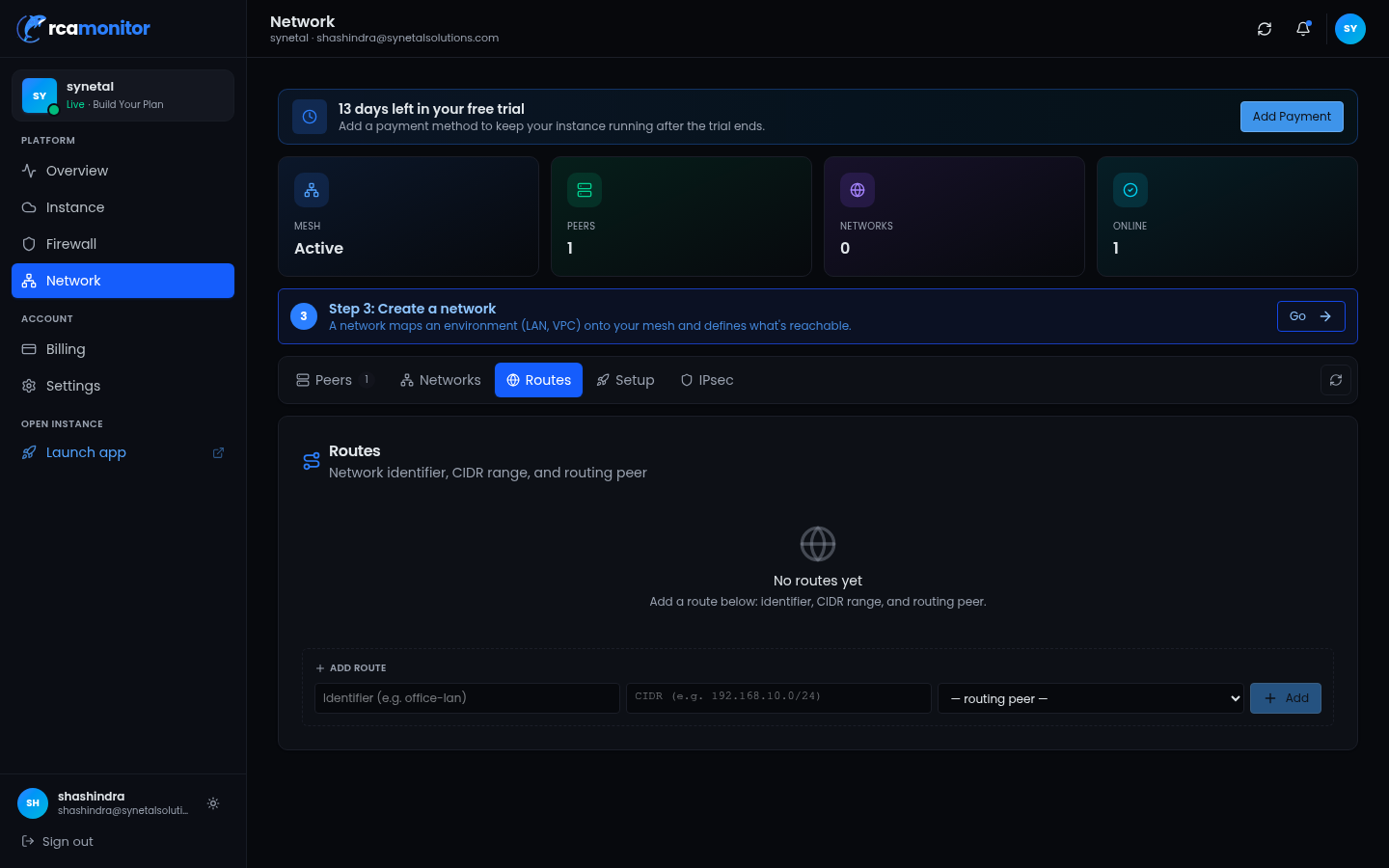
IPsec from your edge device
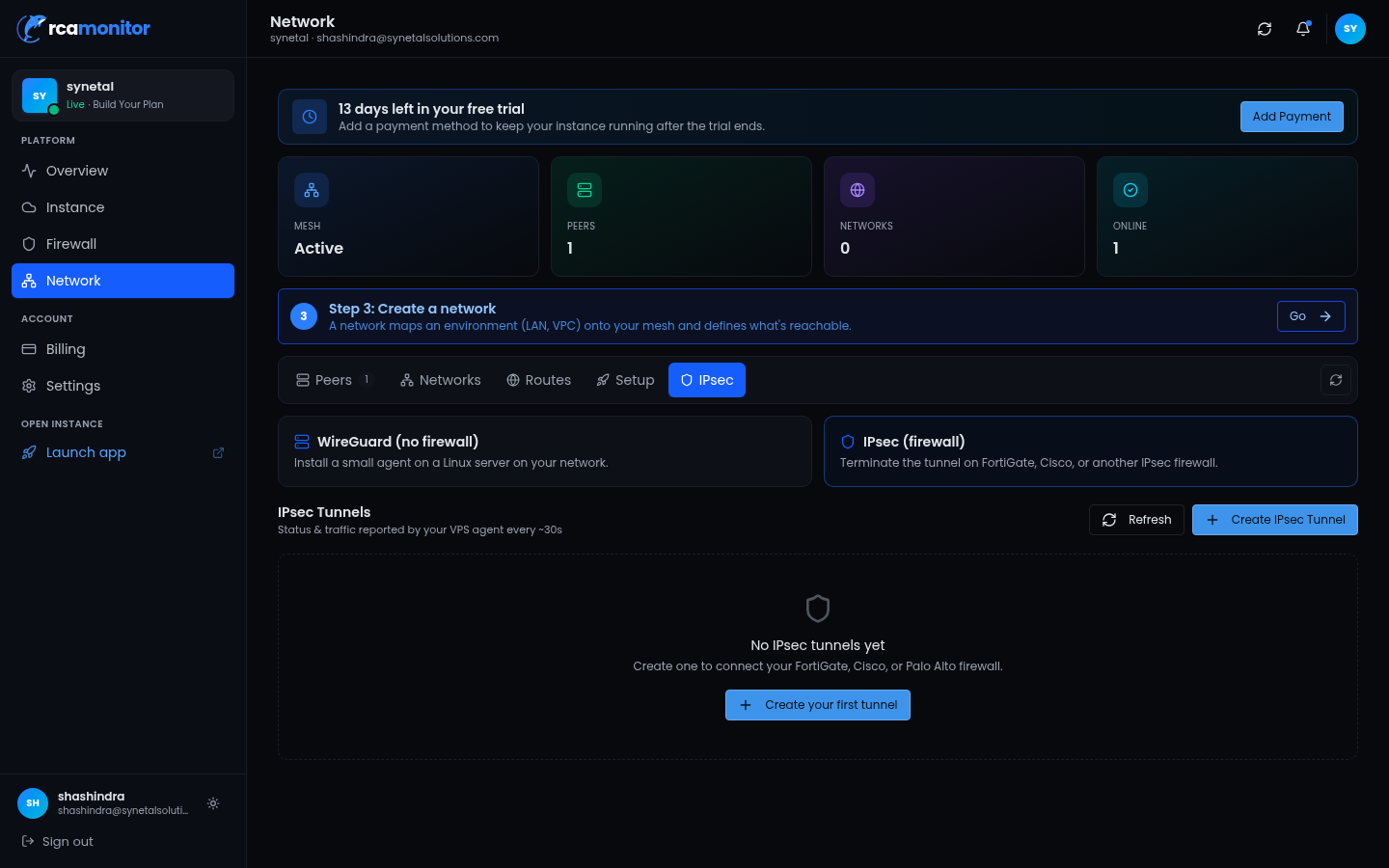
Where your edge is a firewall you already run, terminate IPsec there and configure the matching parameters in OrcaMonitor. Proposals, DH group, PFS and lifetimes must agree on both ends — a mismatch is the single most common cause of a tunnel that comes up and then immediately drops.
Cloud firewall
The instance has its own public allow-list, which is separate from the VPN. Opening a tunnel does not open the firewall, and a healthy tunnel with a closed allow-list behaves exactly like a broken one.
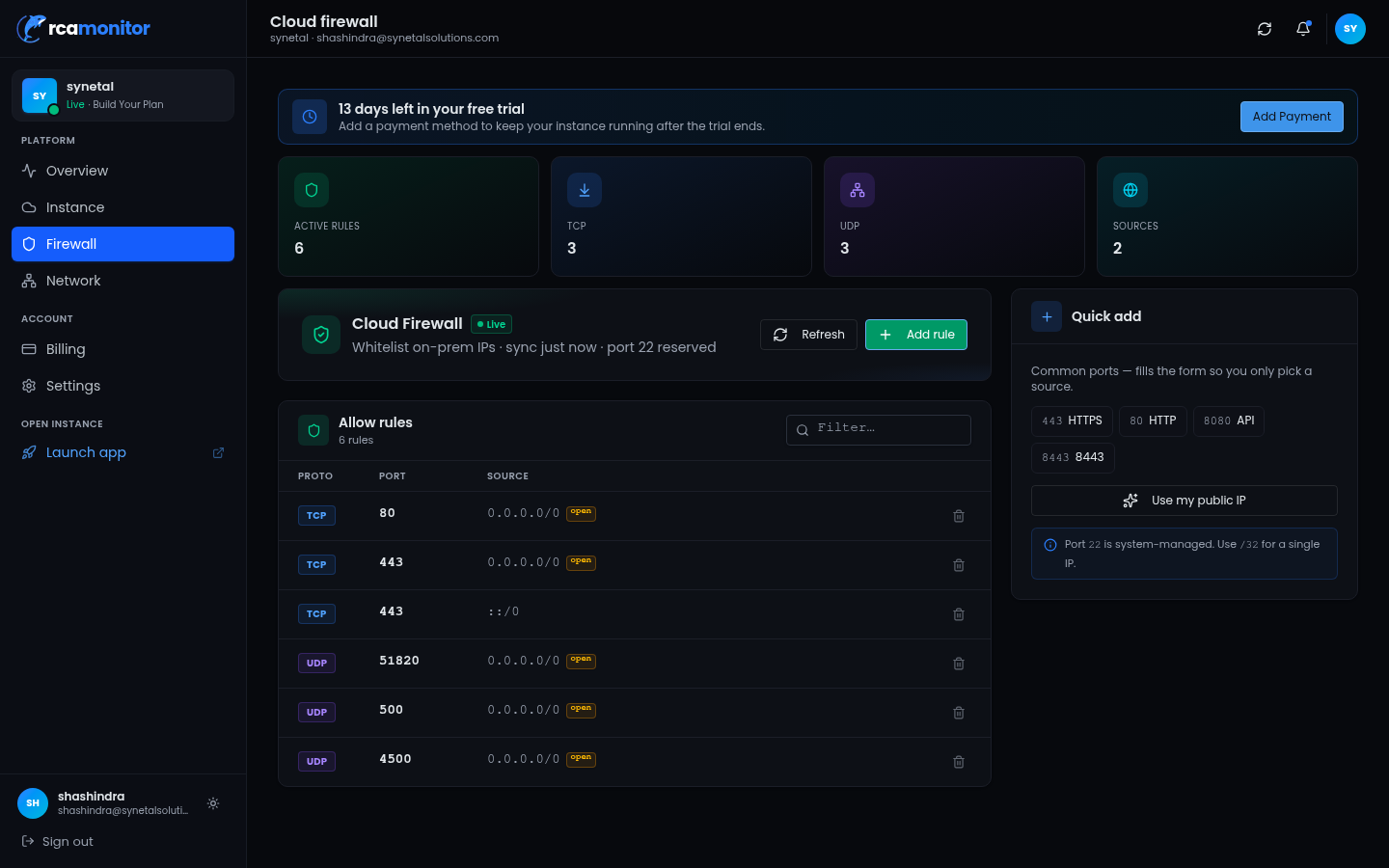
A route must exist, the tunnel must be up, and the firewall must allow the traffic. When a device is unreachable, check all three in that order — most "the VPN is down" reports are the first or the third, not the tunnel.
Diagnosing tunnels
Once a tunnel exists, OrcaMonitor can diagnose it across the common enterprise firewalls instead of you remembering each vendor's IKE command. The agent picks the right command set from the platform string, so a Cisco IOS device gets IOS commands and an ASA gets ASA commands without being told.
| Tool | What it answers |
|---|---|
| Tunnel status | Is the tunnel up, how long, and what was the last error? |
| Tunnel diagnose | Is phase 1 negotiating? Phase 2? Peer reachable? Proposal mismatch? |
| Peer reachability | ICMP plus UDP 500/4500, and path MTU between the endpoints |
| Config compare | Which parameter differs between the two peers? |
vpn_tunnel_status    {"device": "bom-fw-01", "tunnel": "dc-to-dc"}
vpn_tunnel_diagnose  {"device": "bom-fw-01", "tunnel": "dc-to-dc"}
vpn_peer_reachability{"device": "bom-fw-01", "peer": "203.0.113.9"}
vpn_config_compare   {"device": "bom-fw-01", "peer_device": "dc-fw-02"}
A sane order to work in
Tunnel problems are usually one of six things. Working in this order avoids changing a working setting while chasing the actual fault.
- 1Reachability
Can each peer reach the other on UDP 500 and 4500? If not, nothing else matters — this is a routing or firewall problem, not an IKE problem.
- 2Proposals
Encryption, integrity, DH group and lifetime must match exactly on both ends. Compare the two configurations rather than reading them side by side by eye.
- 3Pre-shared key or certificate
A PSK mismatch and an expired certificate both present as phase 1 failing, so check the validity window before concluding the key is wrong.
- 4Interesting traffic
The tunnel only carries what the ACL or crypto map selects. Traffic that is uninteresting is not a tunnel failure.
- 5NAT-T
If either peer is behind NAT, encapsulation must be permitted. This presents as phase 1 succeeding and phase 2 never completing.
- 6MTU
A tunnel that establishes but drops large packets is an MTU or MSS problem. Small pings succeed, real traffic does not.
FortiGate, Cisco ASA, Cisco IOS, Juniper SRX, Palo Alto and MikroTik all have command references built in, including the 8-step checklist above injected into the agent's context automatically when a ticket mentions VPN, IPsec, IKE, tunnel or crypto keywords.
When a ticket mentioning tunnel keywords is opened, the agent's context is augmented with the vendor command set and the checklist, so the first diagnostic command it runs is the right one for that platform rather than a generic ping.
OrcaMonitor documentation v1.0.0 · Report a problem
See every module, pricing tier, and deployment option on the OrcaMonitor overview.