
Documentation menu
Devices & inventory
One record per asset, with reachability you can trust
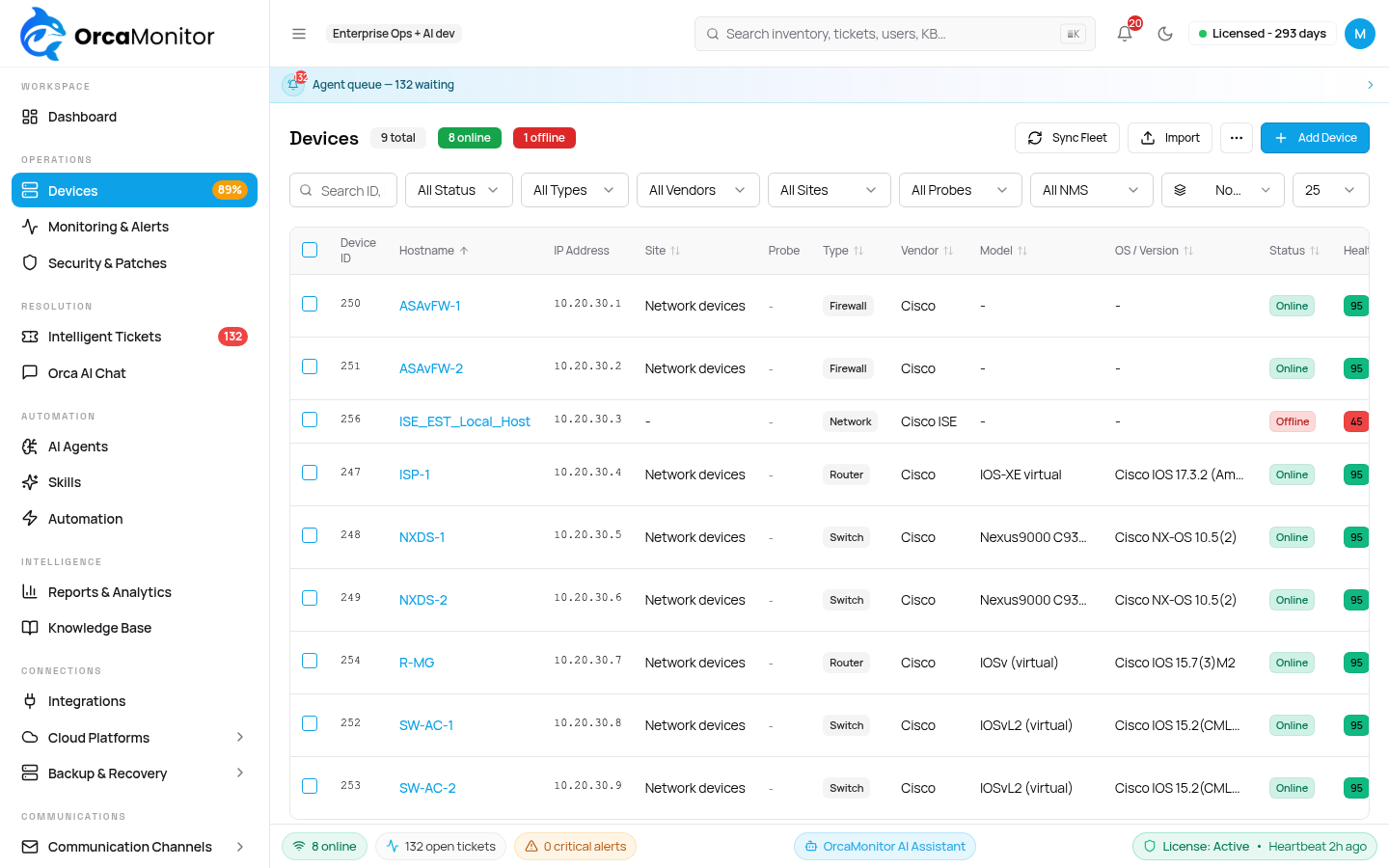
Every incident, ticket, backup, playbook run and audit entry hangs off a device. Getting this record right — reachable, credentialed, correctly typed — is what makes everything downstream reliable, so the product puts real weight on validating a device before it is trusted.
What counts as a device
A device is anything OrcaMonitor can reach and reason about. The type you pick decides which driver loads and therefore which command set the agent has available.
| Family | Examples | Access |
|---|---|---|
| Network | Cisco IOS / IOS-XE / NX-OS, ASA, Juniper, Arista, FortiGate, MikroTik, Palo Alto | SSH, or gNMI / NETCONF where enabled |
| Servers | Linux, Windows | SSH, WinRM |
| Virtualisation | Proxmox VE nodes and guests, VMware vSphere | API sync with per-guest status |
| Cloud | AWS, Azure, GCP resources | Cloud provider API |
| Edge / wireless | Cisco Meraki, UniFi Network | Vendor cloud API |
A device that came from an API sync (Proxmox, vSphere, Meraki, UniFi, a cloud) is owned by that integration. Its status is derived from the API, not from a probe — so it will not be marked offline because the management address is not routable from OrcaMonitor. That distinction is deliberate; the health section below explains why.
Add a device
- 1Devices → Add device
Name, management IP or hostname, and type. Name it the way your team says it out loud — the agent quotes this name back in tickets.
- 2Pick or create credentials
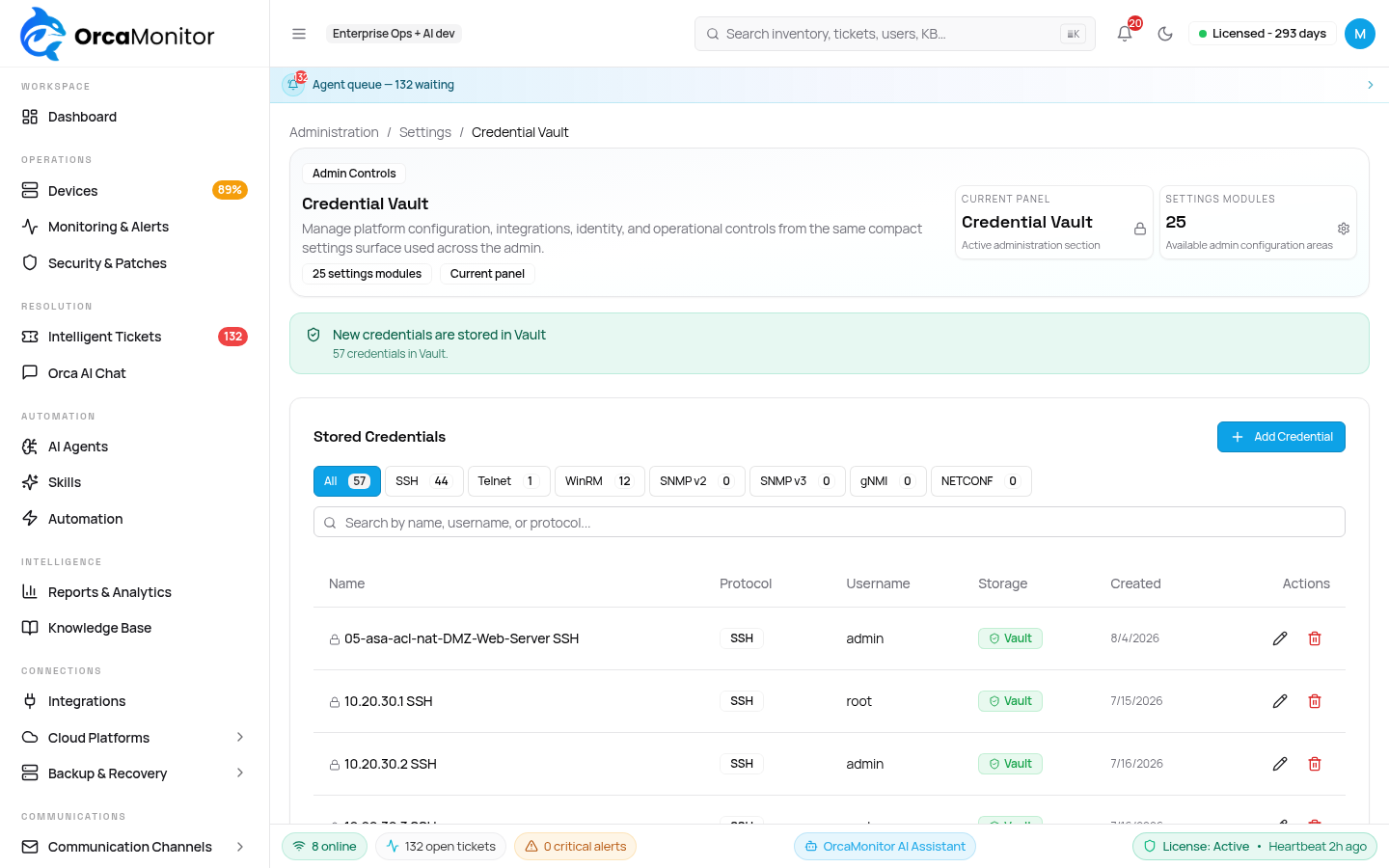
Credentials are written to Vault first, then referenced by id. The device record never contains a password, and the API never returns one.
- 3Test connection
A real session is opened and the negotiated result reported. Fix failures here before going further — a device that cannot be reached cannot be remediated.
- 4Run discovery
Collects facts, interfaces, neighbours and the OS version. Runs automatically on a schedule afterwards.
The device page
The device page is where you go when a ticket names a device and you want to know whether the agent's conclusion makes sense. Everything is on one screen deliberately: facts, interface state, recent changes, backups, and the tickets this device has been involved in.
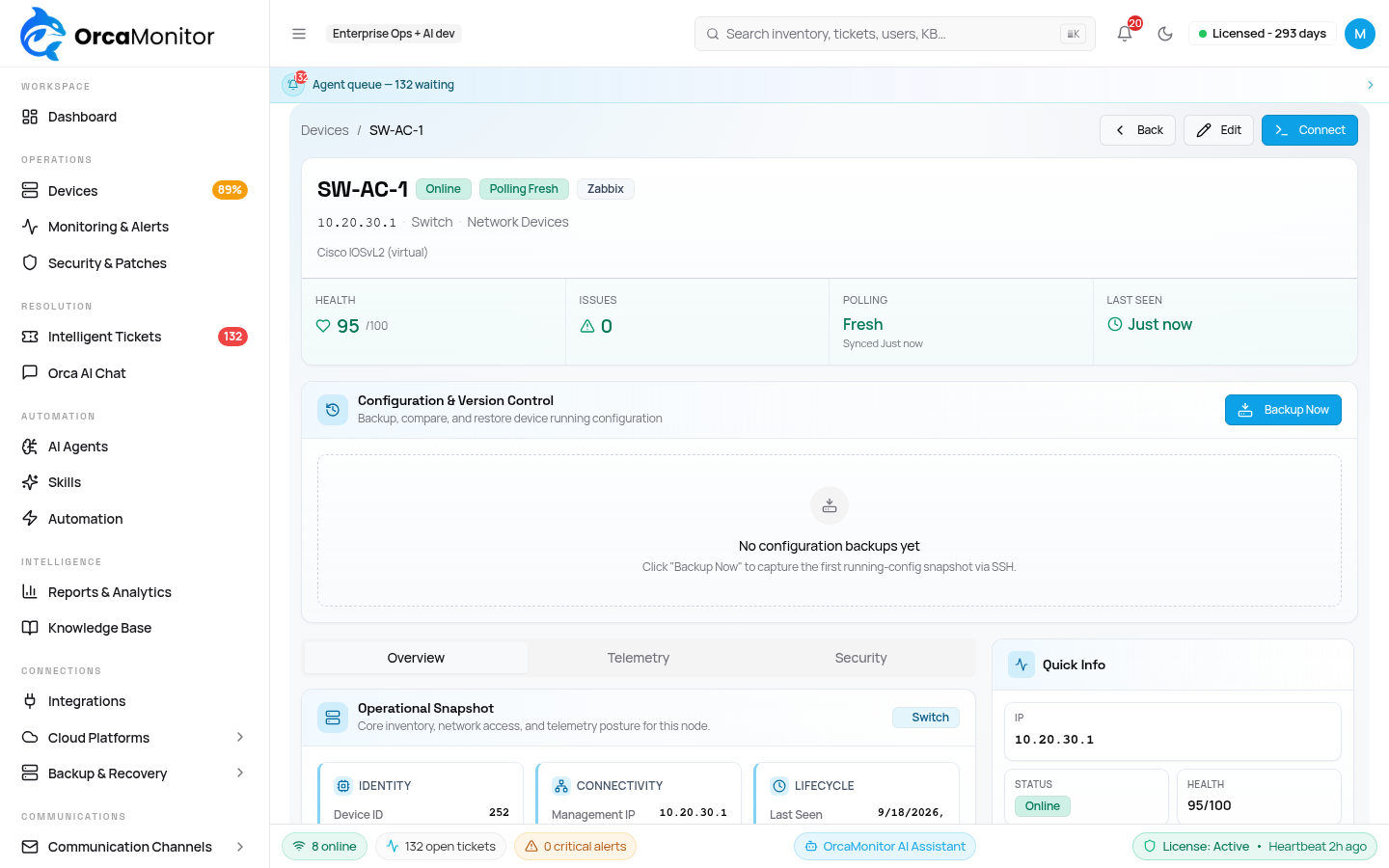
- Overview — identity, type, model, OS version, uptime, and the management address actually used.
- Interfaces — link state and counters, so a "link down" ticket can be confirmed at a glance.
- Health — the score, plus which channel is responsible for it.
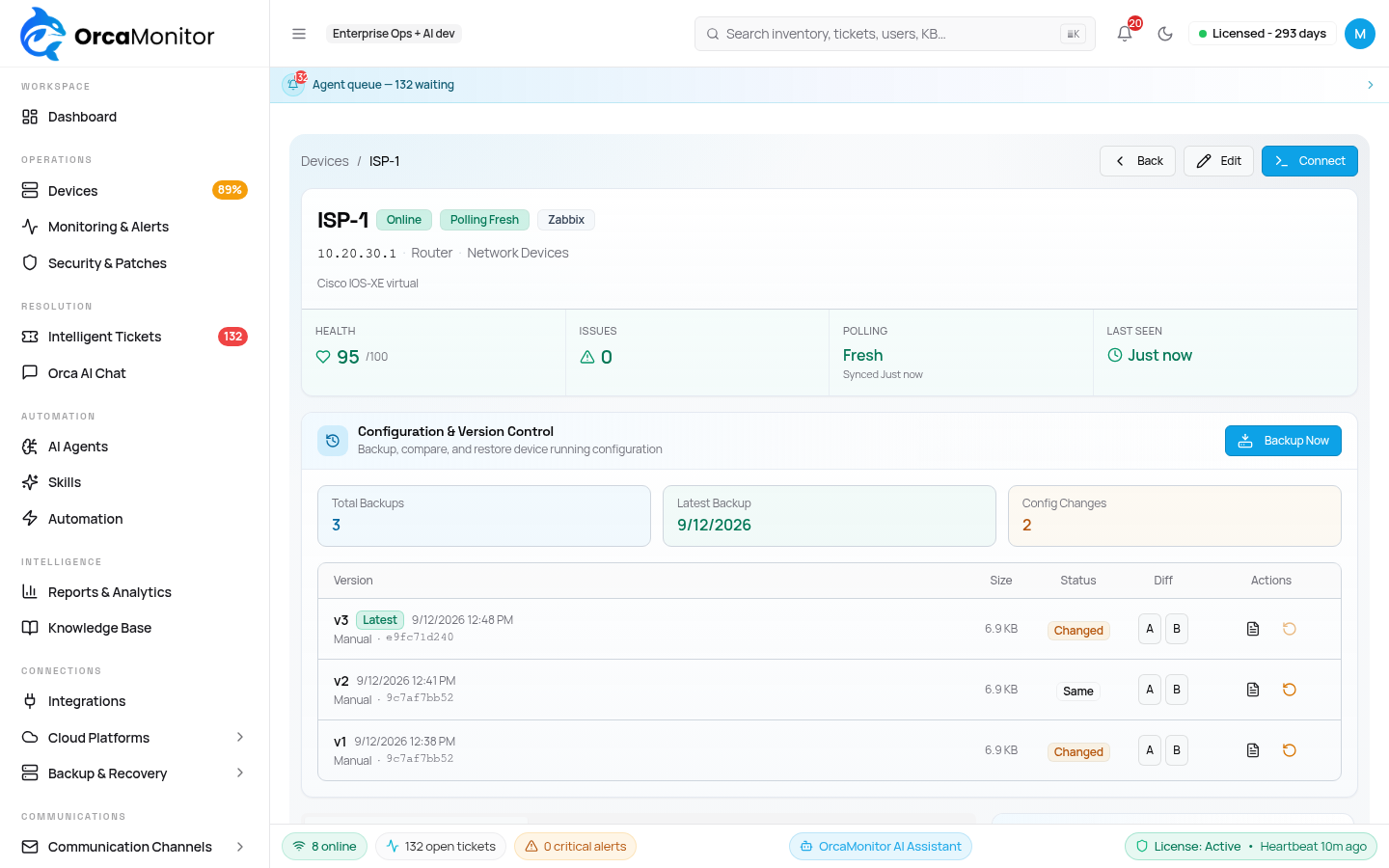
- Backups — configuration snapshots, with diff and one-click restore.
- Tickets — the incident history for this specific device.
- Activity — every command OrcaMonitor has run against it, who or what triggered it, and the outcome.
Health score
Health is a single 0–100 number derived from online status plus whether the device's meaningful channels are reporting. It exists so the fleet list can be scanned without opening anything, which means it has to mean the same thing for a switch, a hypervisor guest, and a cloud instance.
| Score | Meaning |
|---|---|
| 100 | Online, and every meaningful channel is OK |
| 85 | Online, but one channel is down |
| 70 | Unknown or degraded — not enough signal to say healthy |
| 45 | Offline or unreachable |
A channel that is meaningless for a device (an SNMP check on an integration-owned guest with no agent) is reset to unknown rather than counted as down. Otherwise every API-synced VM would carry a permanent penalty for a probe that was never applicable.
Credentials
All secrets live in Vault. OrcaMonitor stores a reference on the device, resolves it at use time, and never writes it to a log, an audit detail field, or an agent message. Rotating a credential is a Vault operation; devices pick up the new value on their next connection.
- One credential can be shared across many devices.
- Per-vendor privilege requirements are documented on the credential form.
- SNMP credentials are separate from CLI credentials, because discovery may use one and remediation the other.
- Deleting a credential that is still attached is refused — reattach first.
Configuration backups
A backup is the safety net that makes remediation reversible. Before the agent changes anything, the current configuration is captured; if the change is verified as harmful, that snapshot is what gets restored.
- 1Capture now
Device page → Backup now. Use this before a manual change as well — it is not agent-only.
- 2Review the diff
Each backup is diffed against the previous one, so "what changed" is answerable without downloading configs.
- 3Restore one
Restore is available only where the driver can apply a full configuration — the button is hidden, not failing, when it cannot.
Working with devices at fleet scale
Single-device actions go through the normal device page. Anything across more than one device should go through the fleet tools, which run in parallel, respect the same approval gates, and produce one audit entry per device rather than a single opaque bulk record.
# Resolve a filtered set of devices into a Nornir inventory (no connection made)
nornir_inventory {"filter": {"vendor": "cisco_ios", "site": "bom-dc"}}

# Run a read-only command across the set, in parallel
nornir_run {
  "filter": {"vendor": "cisco_ios"},
  "command": "show ip interface brief",
  "engine": "netmiko"
}

# Apply configuration — approval-gated
nornir_apply_config {
  "filter": {"site": "bom-dc", "role": "access-switch"},
  "config": ["interface Gi1/0/24", "description UPLINK-TO-CORE"]
}A configuration push across a filter touches many devices at once. The agent can propose it, and the proposal lists every device it will hit — review that list, because the filter is evaluated at execution time, not at proposal time.
OrcaMonitor documentation v1.0.0 · Report a problem
See every module, pricing tier, and deployment option on the OrcaMonitor overview.