
Documentation menu
AI agents
Agent Chat, ticket remediation, tools and metering
There are two ways to talk to OrcaMonitor's AI, and they are the same agent underneath. Agent Chat is a conversation for live operations — investigate, look something up, run a read, propose a change. Ticket remediation is the same reasoning applied to an incident with a lifecycle, an approval gate and an audit trail.
| Agent Chat | Ticket remediation | |
|---|---|---|
| Purpose | Ad-hoc investigation and operator-driven work | Resolve a specific incident end to end |
| Lifetime | A conversation, resumed across sessions | One ticket, resumable |
| Approval | Mutating tools are gated | Every change requires approval |
| Recorded on | Chat history | The ticket timeline and change log |
Agent Chat
Agent Chat is the fastest path from a question to an answer, because the agent has the same tools you do. Ask it what changed on a device, have it read a route table, or ask it to look at an alert and explain what it means.
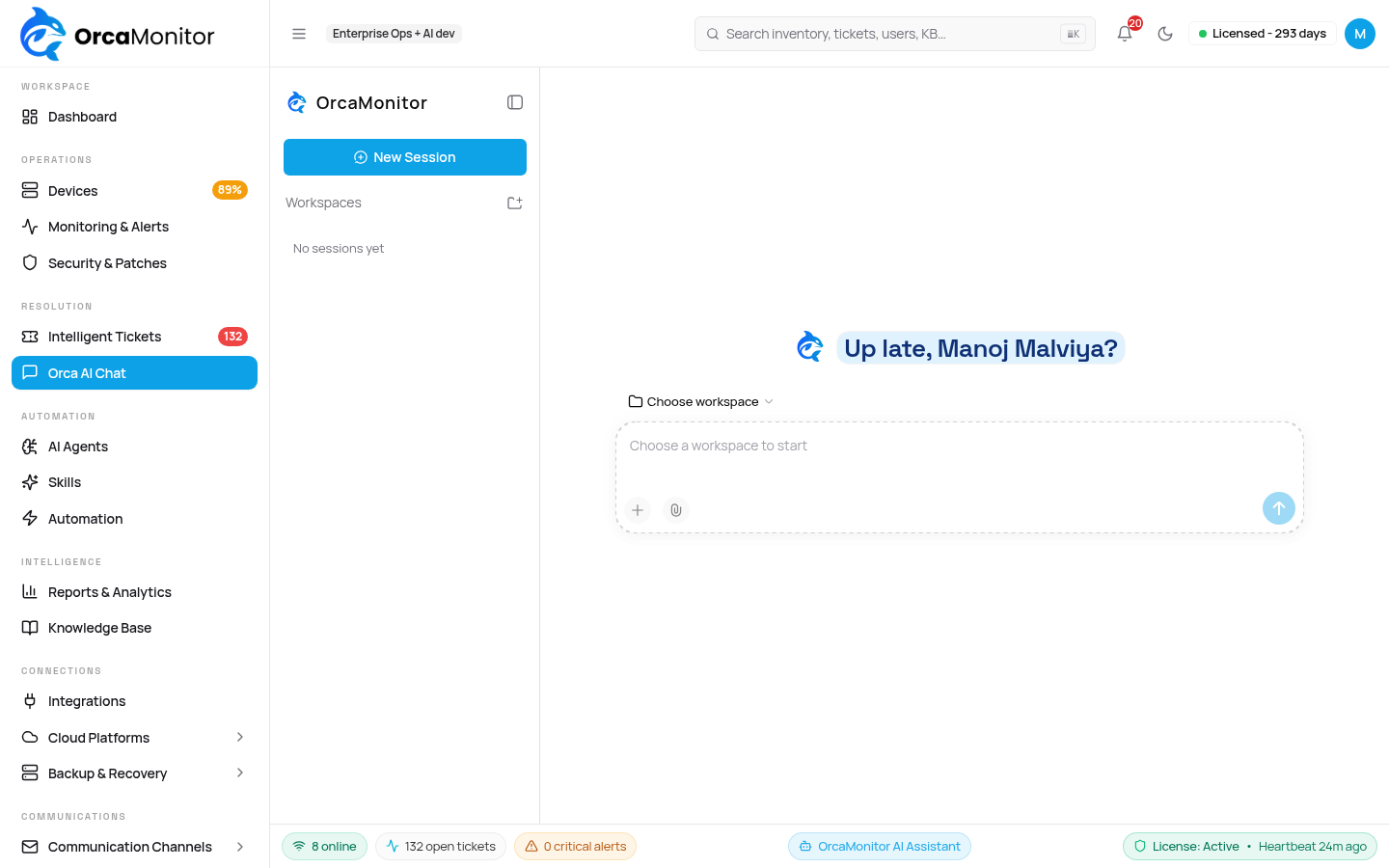
- Live session — tool calls, their arguments and their results stream as they happen, so a slow operation is visibly slow rather than silently hung.
- Session continuity — a conversation is resumed rather than restarted, and long sessions compact automatically instead of losing their beginning.
- Images — paste a screenshot of an error or a dashboard and it is downscaled, stored, and available to the model.
- Direct action — ask it to delete a virtual machine or update a record and it does it, without first asking you for a ticket id. Chat is not a ticket.
"No ticket needed" does not mean "unrecorded". Mutating tools keep their approval and audit behaviour in chat; what changes is that you are not required to wrap an operational task in an incident record first.
Ticket remediation
Ticket remediation is the incident-driven path. The agent opens a persistent session keyed to the ticket, investigates with tools, proposes a plan, waits for approval, executes, then verifies. The full lifecycle is documented under Tickets & automation.
- 1Context assembly
The ticket is assembled with its alerts, device facts, recent changes, related incidents, and the workspace's persona and tool policy.
- 2Investigation
The agent reads the device using MCP tools. Read-only work needs no approval.
- 3Plan proposal
Root cause and the exact command list. If a fact is genuinely missing, it asks a specific question instead of guessing — a clarification question, not a generic prompt.
- 4Approval and execution
On approval the plan runs; every command is journalled and deduplicated against the ticket run.
- 5Verification
The objective is checked. Success closes the ticket; failure returns it to a human.
The agent roster
An agent is a named persona with its own scope: which tools it may use, what it is asked to do, and how it behaves when it cannot proceed. Different teams want different behaviour from the same platform, so this is configuration rather than a fixed list.
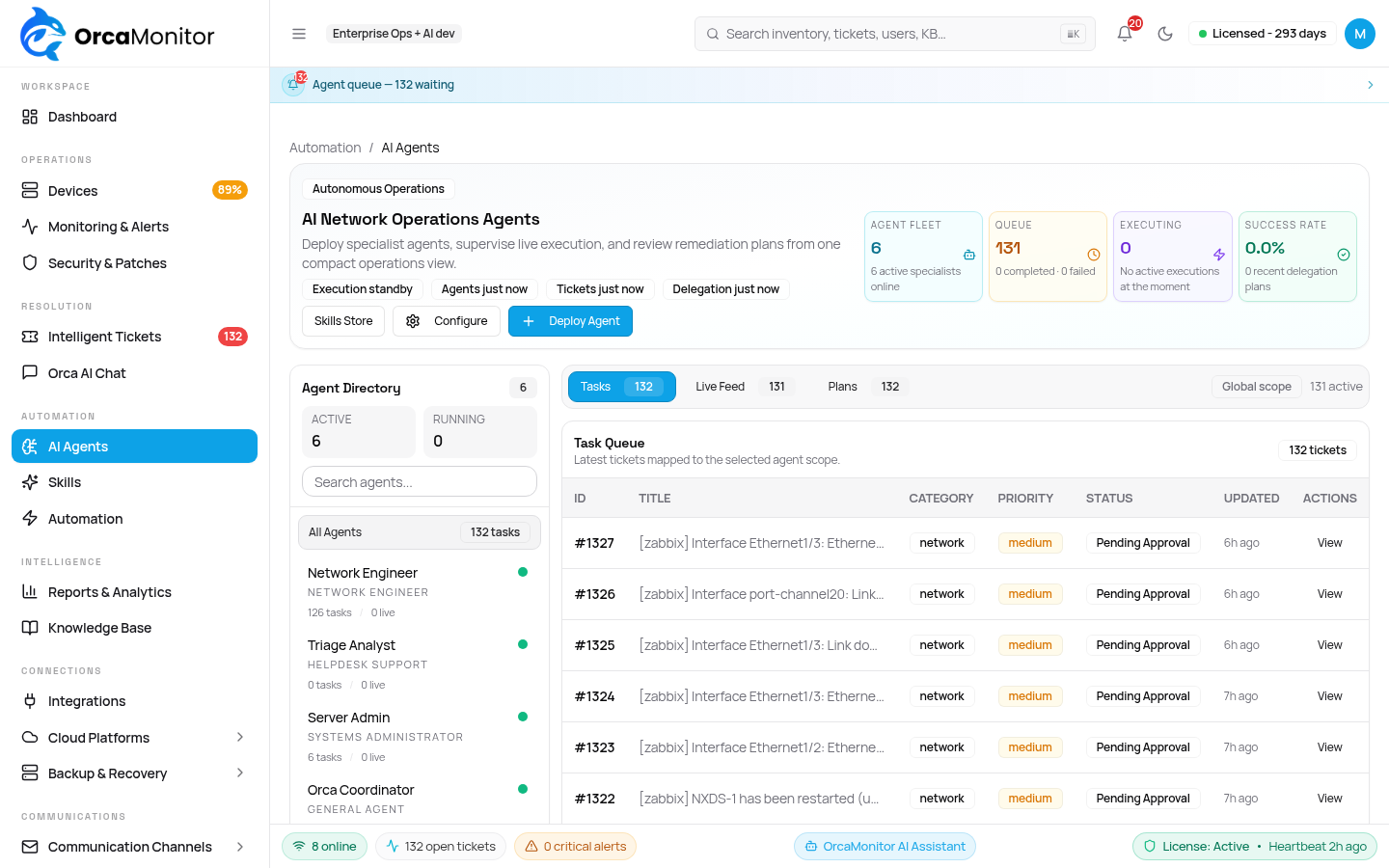
- Scope — the tools and data the agent is allowed to touch.
- Prompt — the persona and operating instructions it works under.
- Email — an agent can own a mailbox, with rules deciding what becomes a ticket.
- Usage — tokens and cost attributable to this agent.
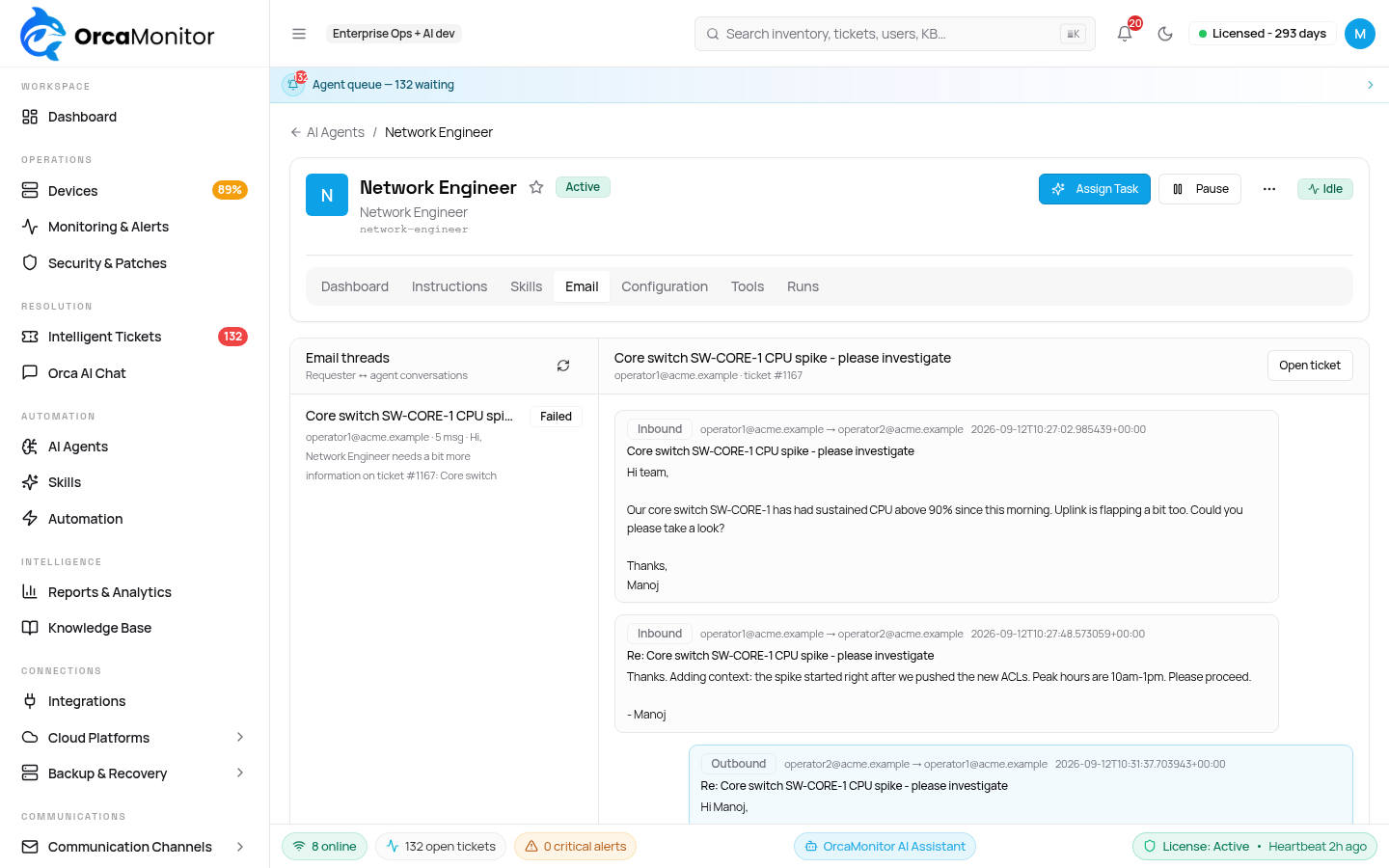
A rule with no criteria accepts every message in the mailbox. Match on subject or body, and remember the first matching rule wins — an unconstrained rule placed early will shadow every rule below it.
Tools the agent can call
The agent's capabilities are MCP tools exposed by OrcaMonitor itself. There is no hidden private API — the same tools you could call by hand over MCP are the ones the agent uses, which is what makes its behaviour auditable.
| Endpoint | Covers |
|---|---|
| core | SSH and WinRM execution, Nornir fleet operations, VPN/IPsec diagnostics, gNMI, NETCONF, flow, Batfish, Packet Buddy, Prometheus/Grafana, memory and audit |
| azure | Entra ID, Exchange, Azure infrastructure |
| aws | AWS account operations |
| gcp | GCP project operations |
| vsphere | VMware vSphere inventory and actions |
| meraki | Cisco Meraki Dashboard API |
| ise | Cisco ISE endpoints, network devices, ANC policies |
| proxmox | Proxmox VE nodes, VMs and containers |
| unifi | UniFi Network Integration API — sites, devices, clients, WiFi and firewall/DNS policies |
Why the tool list is capped
The full catalog is far larger than any model accepts in a single request. Meraki alone contributes hundreds of tools, and providers such as OpenAI and Gemini reject a tool array beyond 128 entries outright.
OrcaMonitor therefore advertises a budgeted subset per request — sized to the configured model, weighted so core operations always fit — and keeps the rest reachable by name. Two meta-tools make that invisible in practice:
- Find — search the whole catalog for the tool that does a job, including tools not currently advertised.
- Call — invoke any tool by name, which is how an unadvertised capability is still usable.
The tool exists even when it is not in the advertised set. Ask it to search for the capability rather than concluding the integration is missing, and re-check after an operator says they configured it — a failed mount and an absent feature look identical from the outside.
Models and routing
AI model configuration is per workspace: use the managed OrcaMonitor AI, or bring your own provider and key. A reasoning model can be set separately from the main model, and both must be reachable on the same provider and credentials.
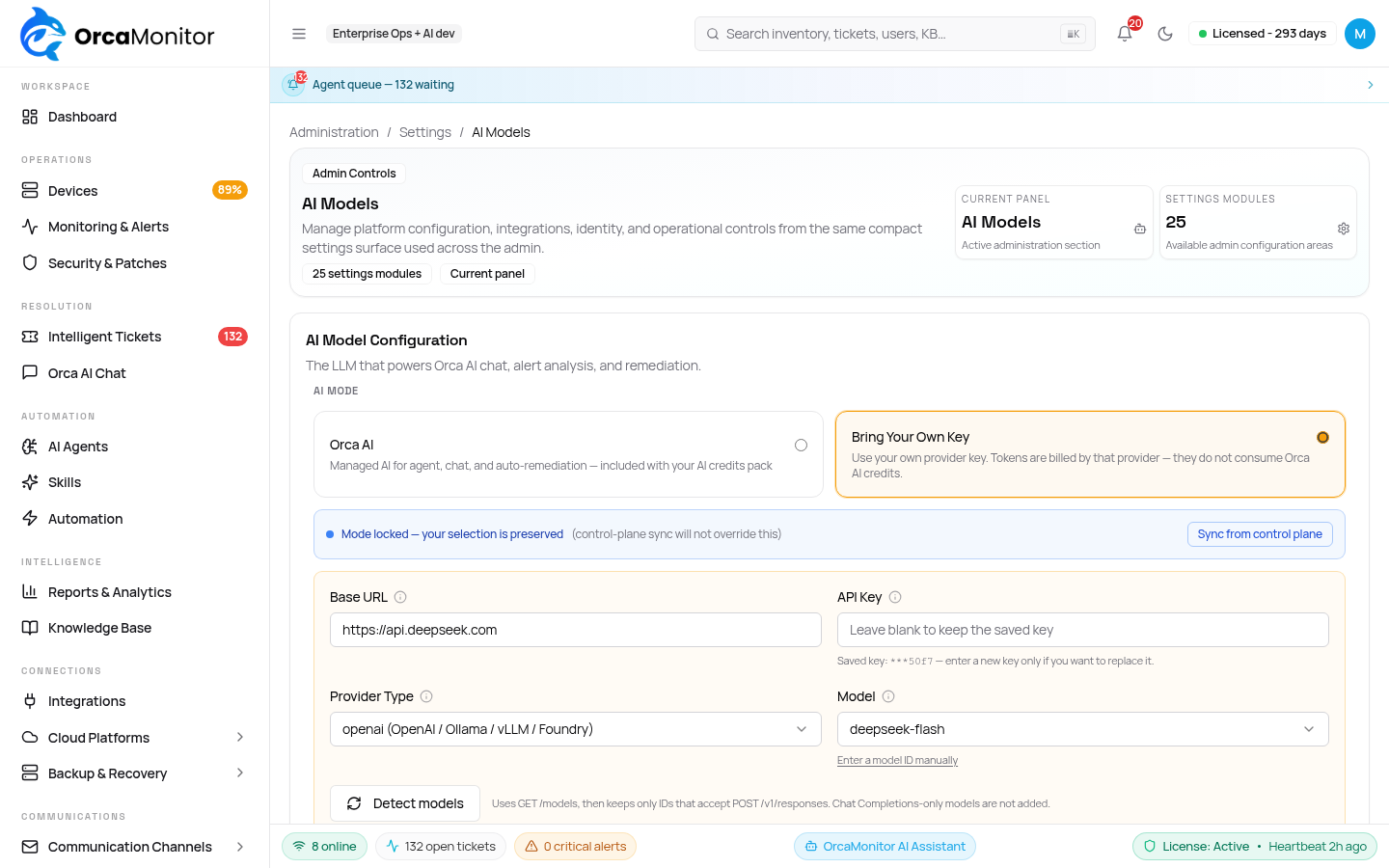
- Managed — no key to manage; usage is metered and reported.
- BYOK — your provider, your key, stored in Vault. The key is never returned by the API.
- Reasoning model — optional, for deeper diagnosis. Leave empty to use the main model.
Usage, cost and caps
Every completion is metered with prompt and completion tokens and a cost, attributed to the source that spent it. Ticket-level cost is shown as a breakdown so you can see which step was expensive, not just the total.
| Where it is shown | What it tells you |
|---|---|
| Ticket detail | What this specific incident cost, broken down by step |
| Agent | What this persona has spent |
| Dashboard | Workspace consumption over time |
When the workspace cap is reached, in-flight work is parked rather than discarded, a banner appears for everyone in the workspace, and the work resumes automatically once credits are available. A parked ticket that appears idle is usually waiting on credits — check the banner before investigating the ticket.
Pricing per model is resolved from the provider catalog, so a ticket's cost reflects the model actually used. An operator can override a rate where a private or negotiated price differs from the public one.
OrcaMonitor documentation v1.0.0 · Report a problem
See every module, pricing tier, and deployment option on the OrcaMonitor overview.